ai-cli-switcher

AI CLI Switcher
A fast, secure launcher CLI tool that lets you switch between different AI coding assistants using fuzzy search. Built with TypeScript and Bun for optimal performance.
Installation • Usage • Configuration
✨ Features
- 🔍 Fuzzy Search: Interactive terminal UI with real-time filtering and keyboard navigation
- 🔧 Auto-Detection: Automatically finds installed AI CLIs (claude, opencode, amp, ccs)
- ⚡ Direct Invocation: Skip the menu with
ai <toolname>or fuzzy matching - 🏷️ Aliases: Define short aliases for frequently used tools (e.g.,
ai cfor claude) - 📋 Templates: Create command shortcuts with
$@argument/stdin placeholders - 👤 CCS Profiles: Automatically detects CCS profiles via
ccs api list - 🔒 Security: Built-in command validation and injection prevention
- 🌍 Cross-Platform: Works on macOS, Linux, and Windows
- ⚙️ Configuration: User-defined tools override auto-detection
Installation
One-line Install (macOS/Linux)
curl -fsSL https://raw.githubusercontent.com/jellydn/ai-cli-switcher/main/install.sh | sh
Safer alternative (inspect before running)
```sh curl -fsSL -o install.sh https://raw.githubusercontent.com/jellydn/ai-cli-switcher/main/install.sh less install.sh # inspect the script sh install.sh ```Homebrew (macOS/Linux)
brew install jellydn/tap/ai
Windows
Download the latest ai-windows-x64.exe from Releases and add to your PATH.
Build from Source
Requires Bun:
git clone https://github.com/jellydn/ai-cli-switcher
cd ai-cli-switcher
bun install
bun run build
This produces a standalone executable at dist/ai.
Manual Install
# Option 1: Symlink to /usr/local/bin (requires sudo)
sudo ln -sf "$(pwd)/dist/ai" /usr/local/bin/ai

# Option 2: Symlink to ~/.local/bin (no sudo required)
mkdir -p ~/.local/bin
ln -sf "$(pwd)/dist/ai" ~/.local/bin/ai
# Ensure ~/.local/bin is in your PATH
Verify installation:
ai --help
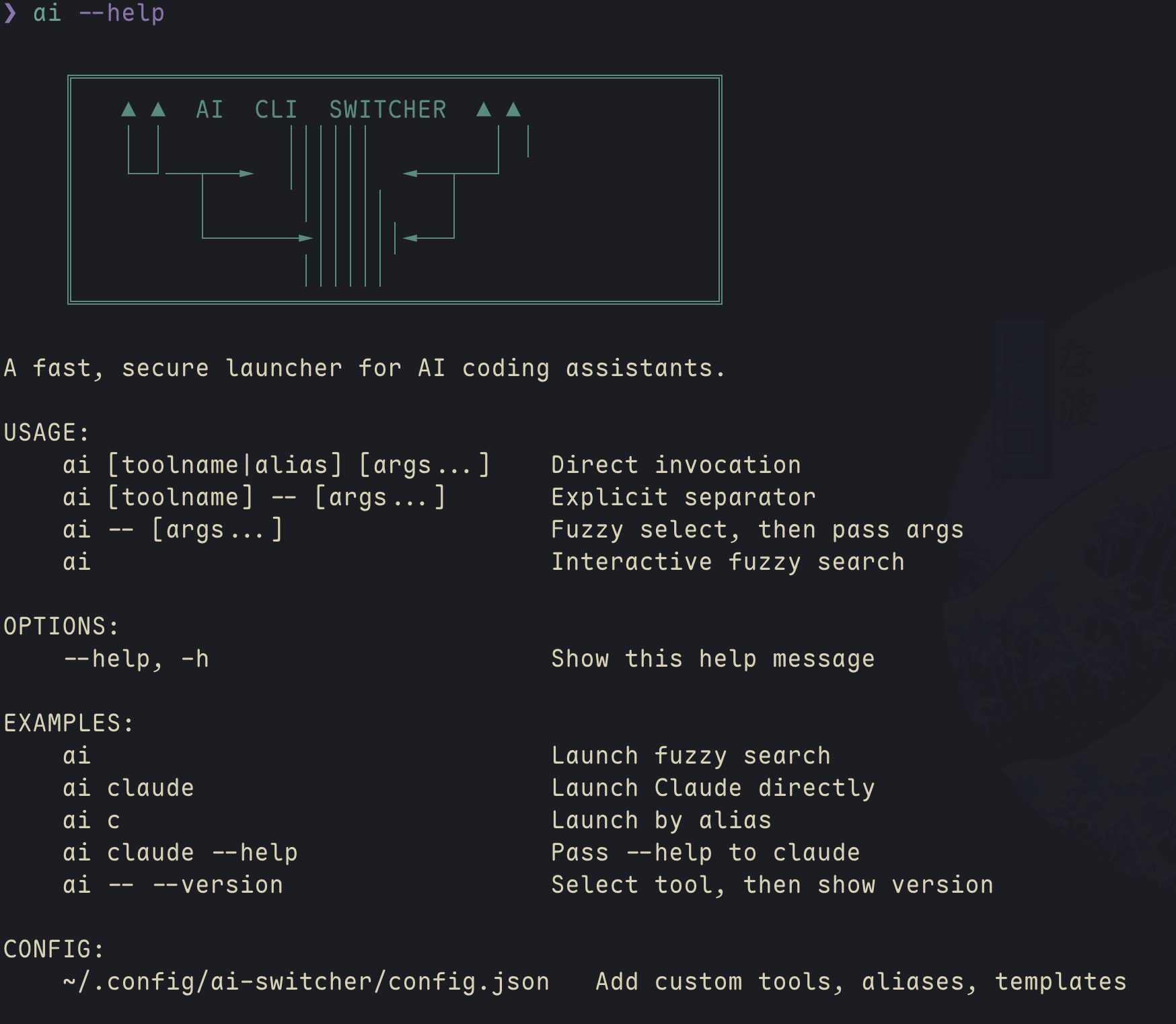
Usage
🎯 Interactive Mode
Run without arguments to open fuzzy search:
ai
Controls:
| Key | Action |
|---|---|
| Type | Filter tools and templates |
↑ / Ctrl+P / Shift+Tab |
Move up |
↓ / Ctrl+N / Tab |
Move down |
Enter |
Select and launch |
Esc / Ctrl+C |
Cancel |
Note: Tab/Shift+Tab navigate the list (not shell completion) since the UI runs in raw mode.
- Templates show
[T]indicator - Compact mode for narrow terminals (< 60 chars)
- Real-time fuzzy matching on names, descriptions, and aliases
⚡ Direct Invocation
Launch a tool directly by name or alias:
ai claude        # Launch Claude
ai amp           # Launch Amp
ai ccs:glm       # Launch CCS with glm profile
ai c             # Uses alias for claude (if configured)
Fuzzy matching works when no exact match is found:
ai cl            # Matches "claude"
ai op            # Matches "opencode"
ai cc            # Matches "ccs" or "claude" (will ask if ambiguous)
CCS Profile Detection: Automatically detects CCS profiles and creates tools like:
ccs:glm- GPT model profileccs:kimi- Kimi model profileccs:custom- Custom profile name
Passing Arguments
Pass arguments to the selected tool:
ai claude --help              # Direct: passes --help to claude
ai -- --help                  # Fuzzy: select tool, then pass --help
ai claude -- --version        # Explicit separator
Templates with Arguments & Stdin
Templates can use $@ as a placeholder for arguments or piped stdin:
# Pass arguments directly
ai summarize main.ts          # Expands template with arguments

# Pipe content via stdin
cat main.ts | ai summarize    # Pipe file content to template
git diff | ai review          # Pipe git diff for code review
echo "Hello world" | ai summarize
Both methods substitute content into the $@ placeholder. If no input is provided for a template requiring $@, an error is shown.
Templates Without Arguments
Templates without $@ run immediately when selected - perfect for common commands with embedded prompts:
# In config.json - no prompt needed, runs directly
ai gemini-arch                # Runs immediately: ccs gemini 'Explain...'
ai                           # Or select from interactive menu
These templates have fixed commands and execute instantly on selection.
Configuration
Config file location: ~/.config/ai-switcher/config.json
A default config is created on first run. Example:
{
  "tools": [
    {
      "name": "claude",
      "command": "claude",
      "description": "Anthropic Claude CLI",
      "aliases": ["c"]
    },
    {
      "name": "opencode",
      "command": "opencode",
      "description": "OpenCode AI assistant",
      "aliases": ["o", "oc"]
    }
  ],
  "templates": [
    {
      "name": "summarize",
      "command": "claude -p 'Summarize this file: $@'",
      "description": "Summarize a file with Claude"
    },
    {
      "name": "review",
      "command": "amp -p 'Review this code: $@'",
      "description": "Code review with Amp"
    },
    {
      "name": "commit-zen",
      "command": "opencode run 'Generate commit message: $@'",
      "description": "Generate commit message with OpenCode"
    },
    {
      "name": "gemini-arch",
      "command": "ccs gemini 'Explain this codebase architecture'",
      "description": "Explain architecture with Gemini",
      "aliases": ["arch"]
    }
  ]
}
Config Options
tools: Array of AI tools
name: Display name and primary lookup keycommand: The CLI command to executedescription: Shown in fuzzy search listaliases: Optional array of short aliases
templates: Array of command templates
name: Template name (shown with [T] indicator)command: Command string, use$@for argument substitutiondescription: Template description
🔍 Auto-Detection
The following CLIs are auto-detected if installed and available in PATH:
claude- Anthropic Claude CLIopencode- OpenCode AI assistantamp- Sourcegraph Amp CLIccs- Claude Code Switch (with profile detection viaccs api list)
Precedence Rules:
- User-defined tools in config.json (highest priority)
- Auto-detected tools (fallback)
- Tools with same name or command are de-duplicated
CCS Profile Auto-Detection:
Runs ccs api list to detect active profiles. Each profile with [OK] status becomes available as ccs:<profile-name>.
🛠️ Development
# Install dependencies
bun install

# Run in development mode
bun run dev

# Type checking (no compilation errors ✅)
bun run typecheck

# Build standalone executable
bun run build

# Test with specific tools
bun run src/index.ts claude --version
🏗️ Architecture
- Modular Design: Clean separation of concerns (config, detection, UI, lookup)
- Type Safety: Full TypeScript coverage with strict mode
- Security: Command validation and injection prevention
- Performance: Bun runtime for fast startup and minimal dependencies
- Extensibility: Plugin-ready architecture for custom tool detectors
🔒 Security Features
- Input Validation: All commands and arguments validated before execution
- Command Injection Prevention: Regex-based sanitization of unsafe characters
- Template Safety: Validated placeholder substitution (
$@syntax only) - Path Protection: Commands validated against allowlist patterns
🧪 Testing
# Run unit tests
bun test

# Test auto-detection
bun run src/index.ts

# Test direct invocation
bun run src/index.ts claude --version
bun run src/index.ts opencode --help

# Test error handling
bun run src/index.ts nonexistent-tool

# Test alias support (if configured)
bun run src/index.ts c  # Should match claude alias

# Test template with arguments
bun run src/index.ts summarize file.txt

# Test template with stdin
cat file.txt | bun run src/index.ts summarize
git diff | bun run src/index.ts review
🌍 Platform Compatibility
✅ Tested Platforms
- macOS: Full functionality including interactive fuzzy search
- Linux: Full functionality including interactive fuzzy search
- Windows: Basic functionality, interactive mode may have limitations
📋 Platform-Specific Notes
macOS & Linux
- Full ANSI color support
- Interactive terminal UI works in most terminals
- Recommended: iTerm2, Terminal.app, VS Code integrated terminal
Windows
- Works best in Windows Terminal
- Command Prompt may have limited ANSI support
- PowerShell recommended over cmd.exe
- Some interactive features may be limited
Terminal Requirements
- TTY support for interactive mode
- ANSI color support (optional, enhances experience)
- UTF-8 encoding recommended
🤝 Contributing
- Fork and clone
- Create feature branch
- Run
bun run typecheck(no errors allowed) - Test on your platform
- Submit PR with description
📄 License
MIT