vscode-seal-code

SealCode
Smart Code Review with AI-Powered Insights



💡 Motivation
Code reviews are essential for maintaining code quality, but traditional review workflows have friction:
- Context switching: Comments in PRs are disconnected from your editor
- Lost insights: Review notes scattered across tools get forgotten
- Manual follow-up: No easy way to validate architectural decisions with AI
SealCode brings code review directly into VS Code, letting you annotate code in context and leverage AI tools to validate your review comments—turning observations into actionable insights.
✨ Features
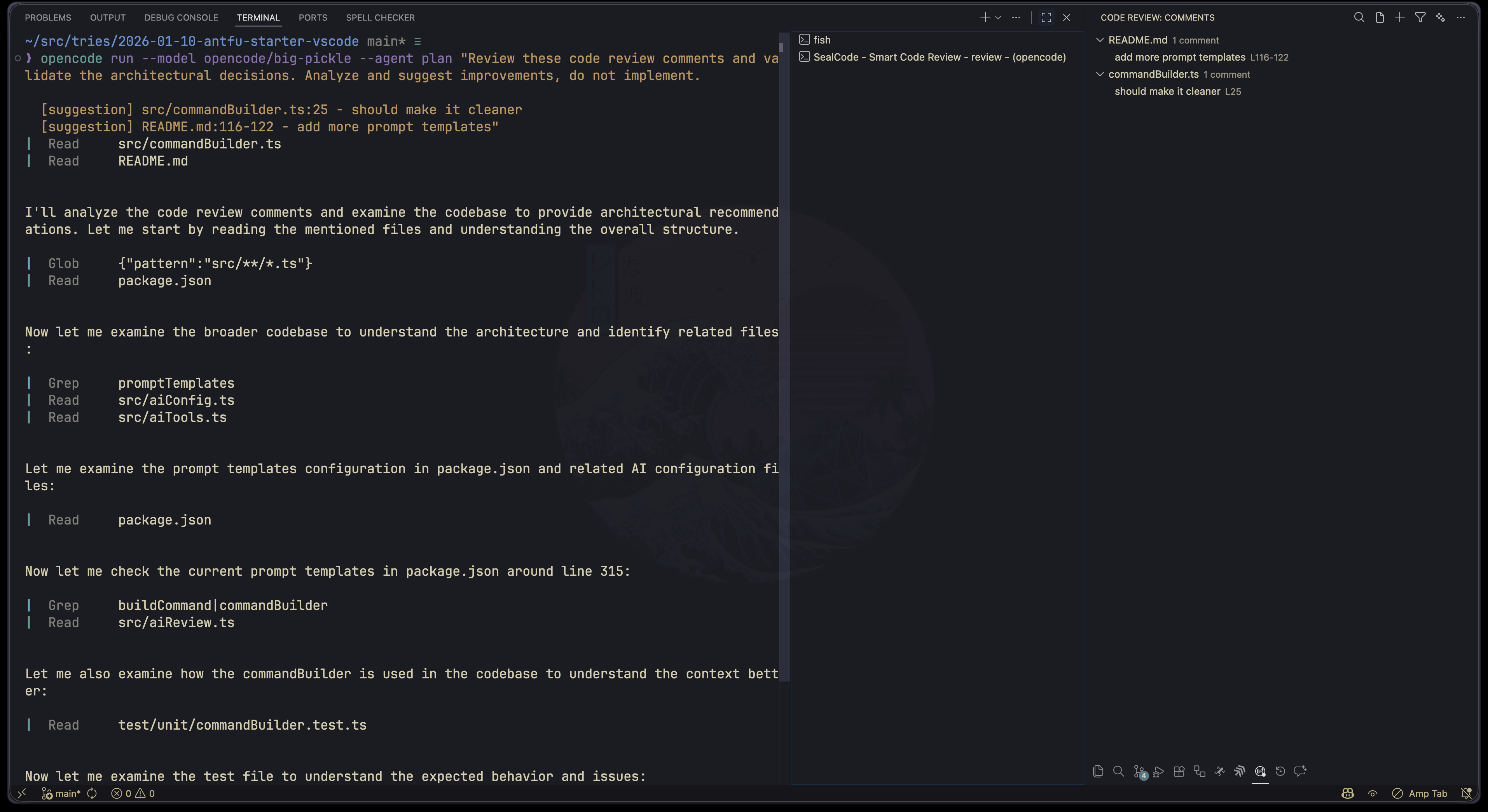
🤖 AI-Powered ReviewSend comments to AI tools (Claude, Copilot, OpenCode, Amp) for architectural validation, security analysis, and refactoring suggestions. |
📝 Prompt TemplatesBuilt-in templates for review, security, refactor, and simplify workflows. Create custom templates with |
🏷️ Categorized CommentsOrganize notes with 5 categories: Bug, Question, Suggestion, Nitpick, and Note. Each with distinct colors for quick identification. |
🎨 Rich Visual FeedbackInline decorations, gutter icons, and line backgrounds help you spot comments at a glance. |
📁 Smart FilteringFilter by category, filename, or current file only. Find exactly what you need. |
📤 Export OptionsExport your review comments to Markdown or HTML for sharing or documentation. |
🚀 Quick Start
- Install the extension from the VS Code Marketplace or search for
jellydn.seal-codein VS Code Extensions - Select code in any file
- Press Cmd+Shift+R (Mac) or Ctrl+Shift+R (Windows/Linux)
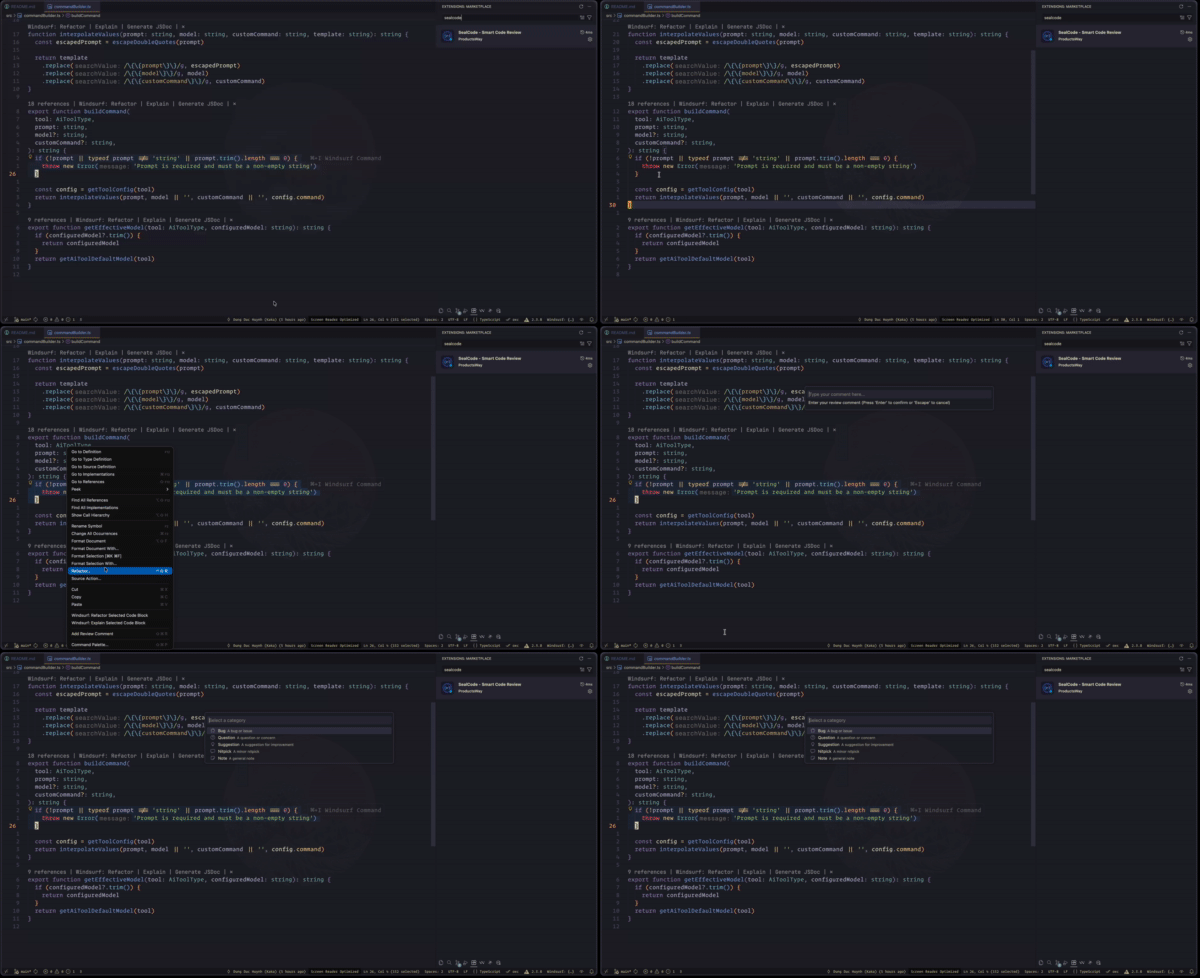
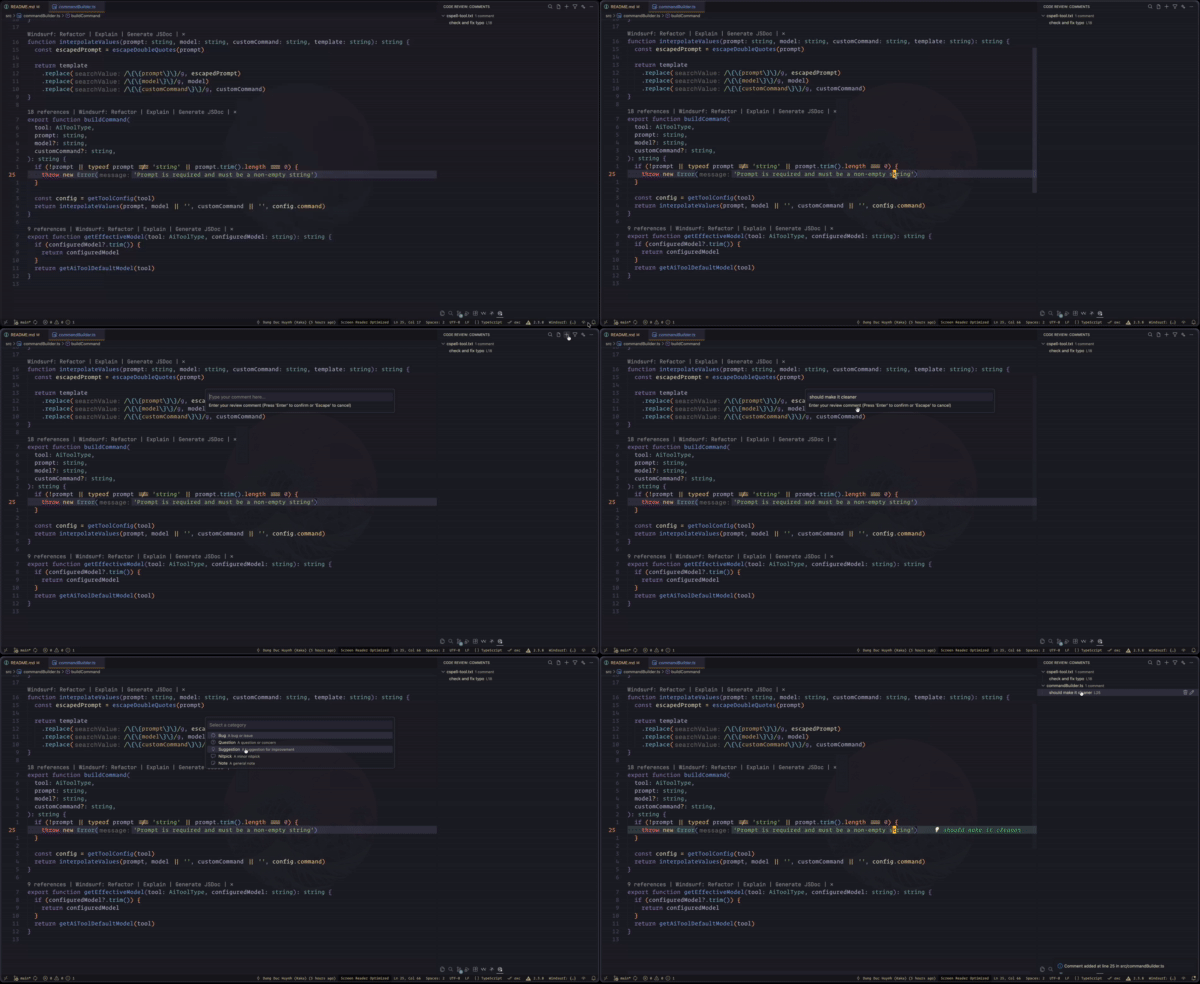
- Choose a category and add your comment
- Press Cmd+Option+Shift+A to send comments to AI for analysis
📖 Usage
Adding Comments
- Use the keyboard shortcut Cmd/Ctrl+Shift+R
- Right-click on selected code → Code Review: Add Review Comment
- Click the + button in the Code Review panel
Managing Comments
- Click on any comment in the sidebar to jump to its location
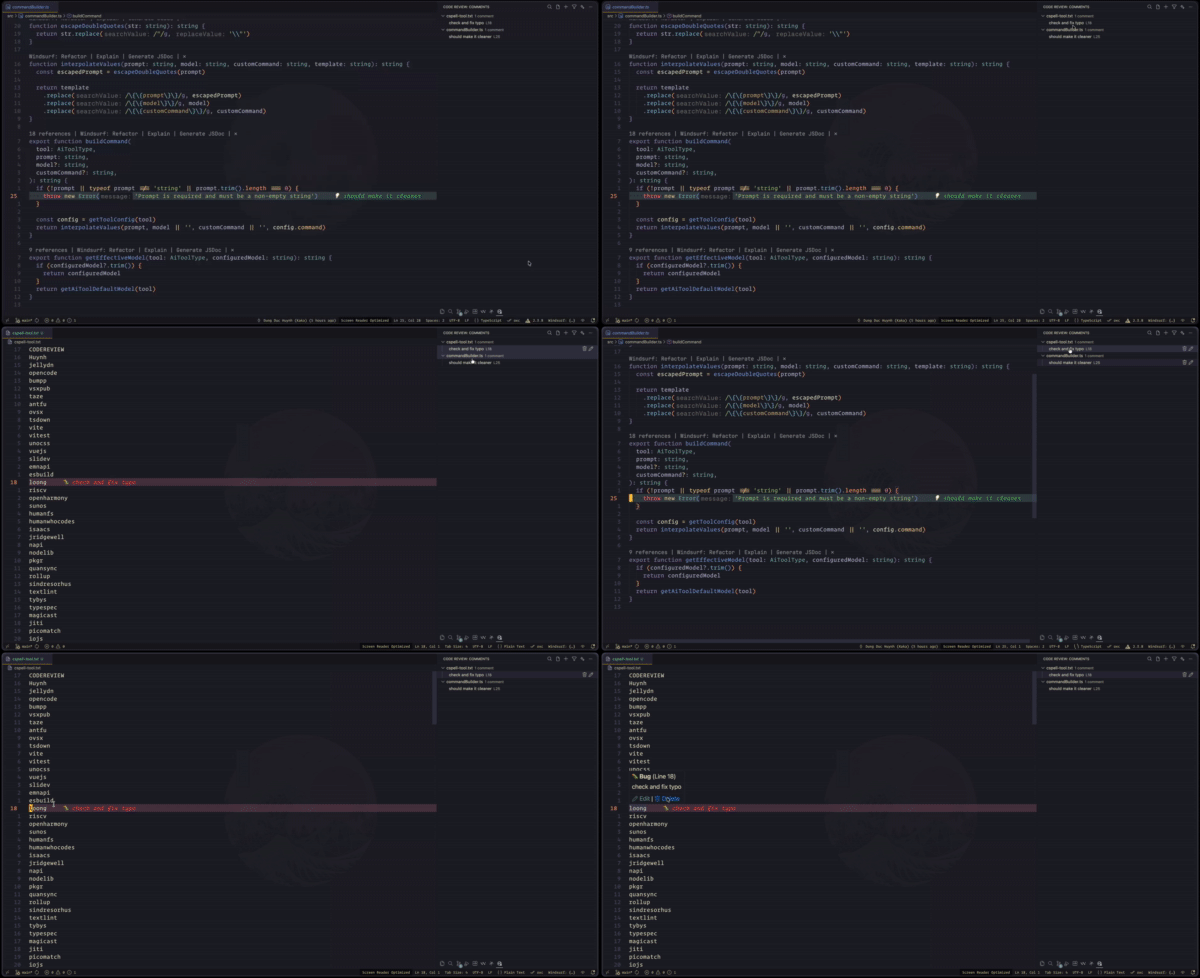
- Use inline edit/delete buttons or the context menu
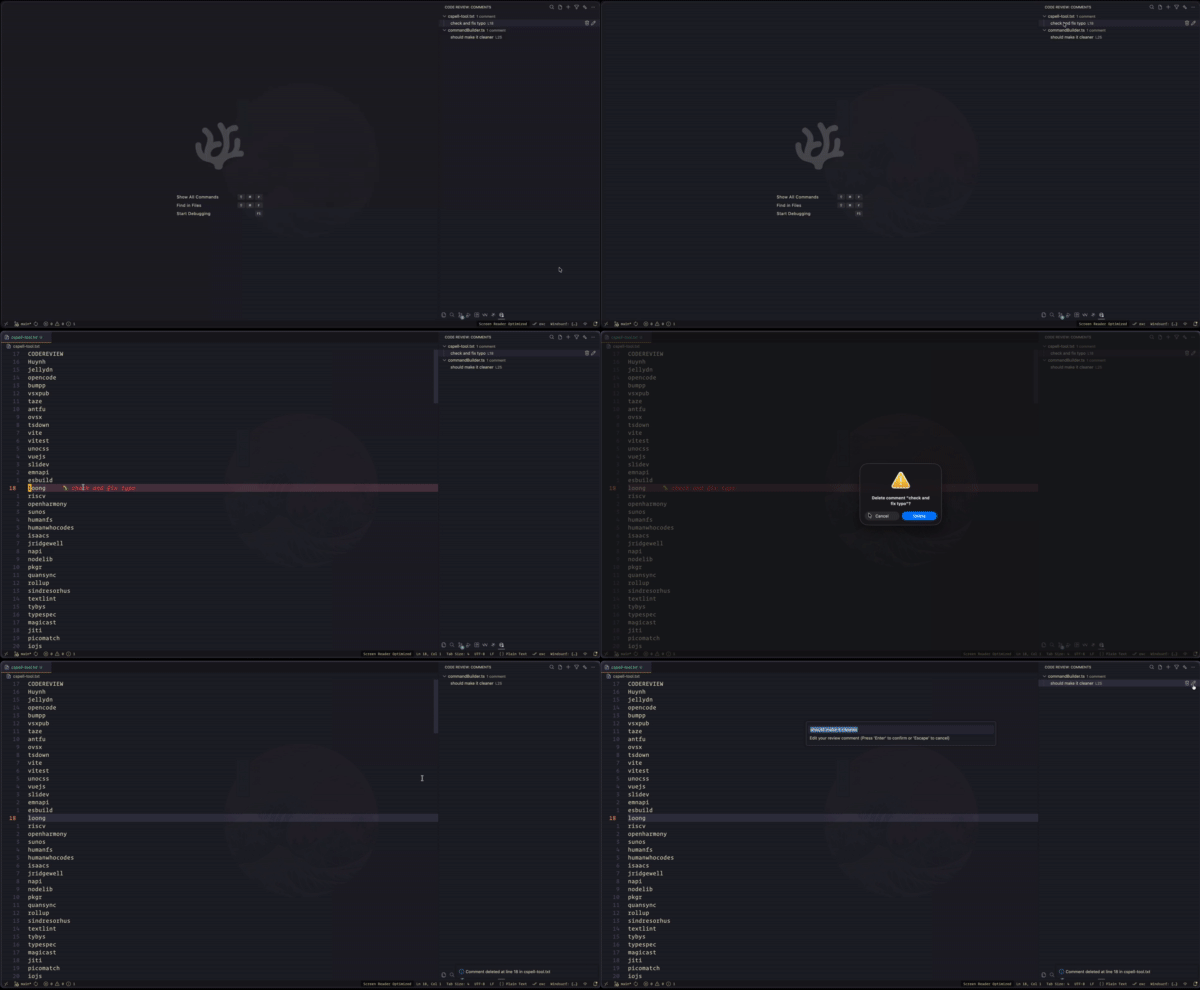
- Press Delete when a comment is focused to remove it
Filtering
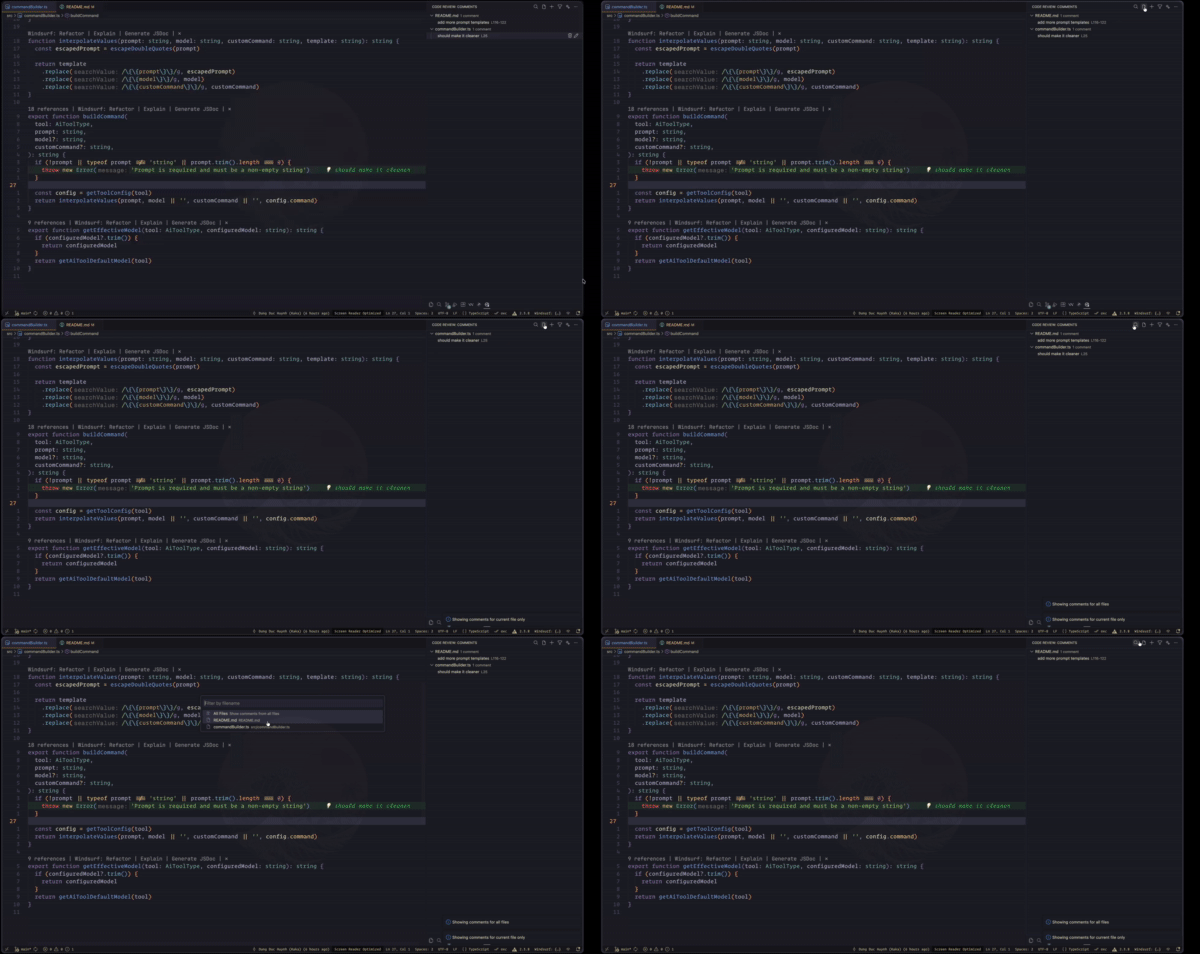
- By Category: Click the filter icon and select categories to show
- By Filename: Search for specific files
- Current File Only: Toggle to focus on the active file
Exporting
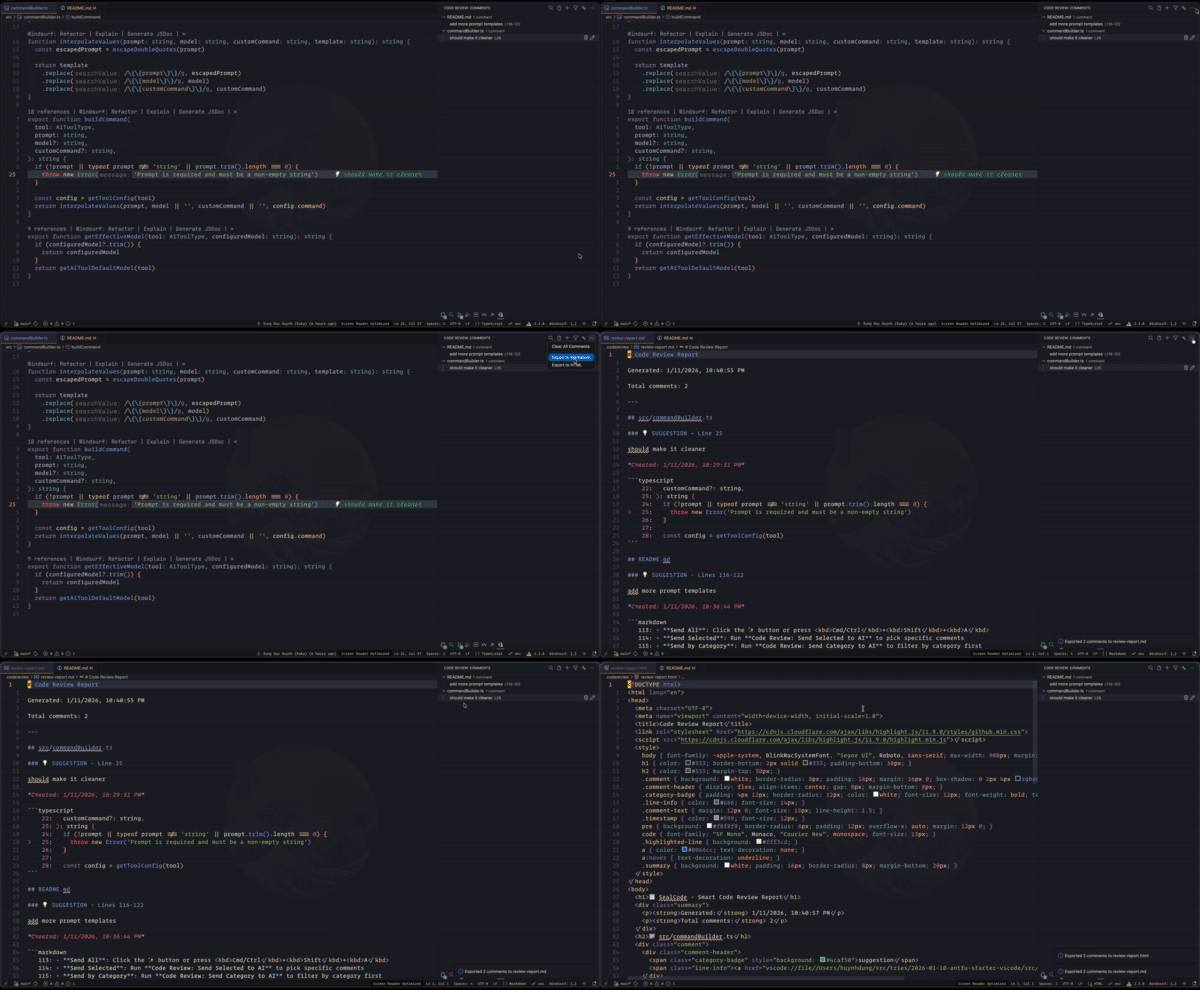
- Open the view menu in the Code Review panel
- Choose Export to Markdown or Export to HTML
🤖 AI Review
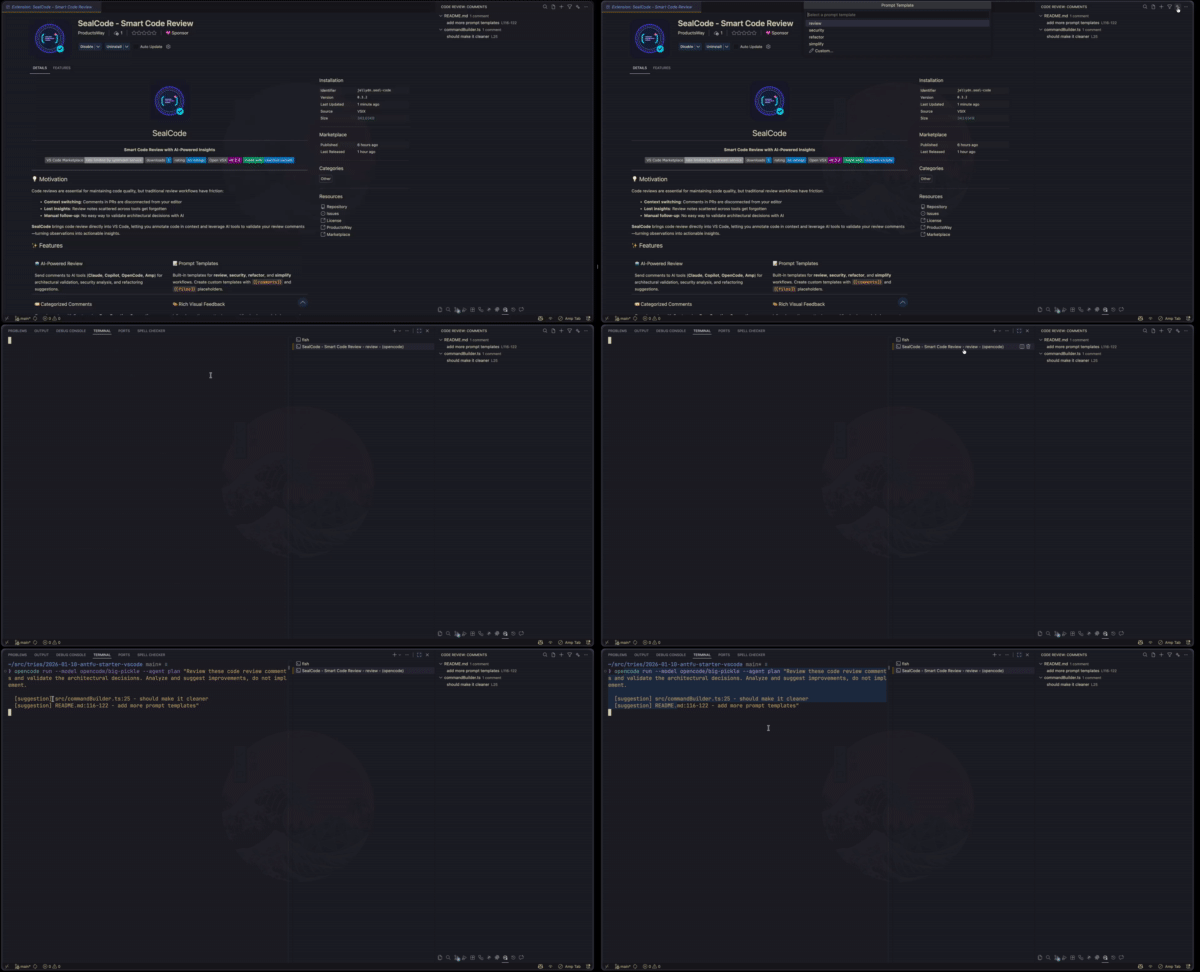
SealCode integrates with popular AI coding tools to analyze your review comments:
| Tool | Description | Model Configuration |
|---|---|---|
| Claude | Anthropic’s Claude CLI | haiku, sonnet, opus |
| Copilot | GitHub Copilot CLI | gpt-4.1, gpt-4o, o3 |
| OpenCode | OpenCode CLI (default) | opencode/big-pickle, opencode/claude |
| Amp | Amp CLI | rush, smart |
| Custom | Your own AI command | e.g., ccs glm |
Sending Comments to AI
- Send All: Click the ✨ button or press Cmd/Ctrl+Shift+A
- Send Selected: Run Code Review: Send Selected to AI to pick specific comments
- Send by Category: Run Code Review: Send Category to AI to filter by category first
Prompt Templates
Choose from built-in templates or create your own:
- review: Validate architectural decisions
- security: Identify vulnerabilities and suggest mitigations
- refactor: Suggest code quality improvements
- simplify: Reduce complexity and improve readability
⚙️ Configuration
| Key | Description | Type | Default |
|---|---|---|---|
seal-code.showInlineDecorations |
Show inline text decorations (after-line text preview) | boolean |
true |
seal-code.showGutterIcons |
Show gutter icons for comments | boolean |
true |
seal-code.showLineBackground |
Show colored background on commented lines | boolean |
true |
seal-code.categoryColors |
Custom colors for each comment category | object |
{"bug":"#f44336","question":"#2196f3","suggestion":"#4caf50","nitpick":"#ff9800","note":"#9e9e9e"} |
seal-code.aiTool |
AI CLI tool to use for sending review comments | string |
"opencode" |
seal-code.aiToolCommand |
Custom command path for AI tool (used when aiTool is ‘custom’, e.g., ‘ccs glm’) | string |
"" |
seal-code.aiToolClaudeModel |
Claude model to use (e.g., haiku, sonnet, opus) | string |
"haiku" |
seal-code.aiToolOpenCodeModel |
OpenCode model to use (e.g., opencode/big-pickle, opencode/claude) | string |
"opencode/big-pickle" |
seal-code.aiToolCopilotModel |
Copilot model to use (e.g., gpt-4.1, gpt-4o, o3) | string |
"gpt-4.1" |
seal-code.aiToolAmpModel |
Amp mode to use (rush or smart). Execute mode requires rush or smart. | string |
"smart" |
seal-code.promptTemplates |
Named prompt templates for AI review. Use for formatted comments and for affected file list. | object |
See package.json |
seal-code.showAIQuickPick |
Show quick pick menu for AI tool selection before sending to AI | boolean |
false |
⌨️ Commands
| Command | Title |
|---|---|
codeReview.addComment |
Code Review: Add Review Comment |
codeReview.editComment |
Code Review: Edit Comment |
codeReview.deleteComment |
Code Review: Delete Comment |
codeReview.filterByCategory |
Code Review: Filter by Category |
codeReview.toggleFileFilter |
Code Review: Toggle Current File Only |
codeReview.exportMarkdown |
Code Review: Export to Markdown |
codeReview.exportHtml |
Code Review: Export to HTML |
codeReview.clearAll |
Code Review: Clear All Comments |
codeReview.filterByFilename |
Code Review: Filter by Filename |
codeReview.editCommentById |
Code Review: Edit Comment |
codeReview.deleteCommentById |
Code Review: Delete Comment |
codeReview.sendToAI |
Code Review: Send to AI Review |
codeReview.sendSelectedToAI |
Code Review: Send Selected to AI |
codeReview.sendCategoryToAI |
Code Review: Send Category to AI |
Runtime AI Tool Selection
Enable the AI tool quick pick to choose different tools per review session:
{
  "seal-code.showAIQuickPick": true
}
This allows parallel execution with different AI tools for comprehensive analysis.
🤝 Contributing
Contributions are welcome! Please feel free to submit a Pull Request.
🛠️ Development
# Install dependencies
pnpm install

# Build
pnpm run build

# Watch mode
pnpm run dev

# Run tests
pnpm run test
💖 Show your support
Give a ⭐️ if this project helped you!



📄 License
MIT License © 2026 Huynh Duc Dung